🔎 Why SiteGuard#
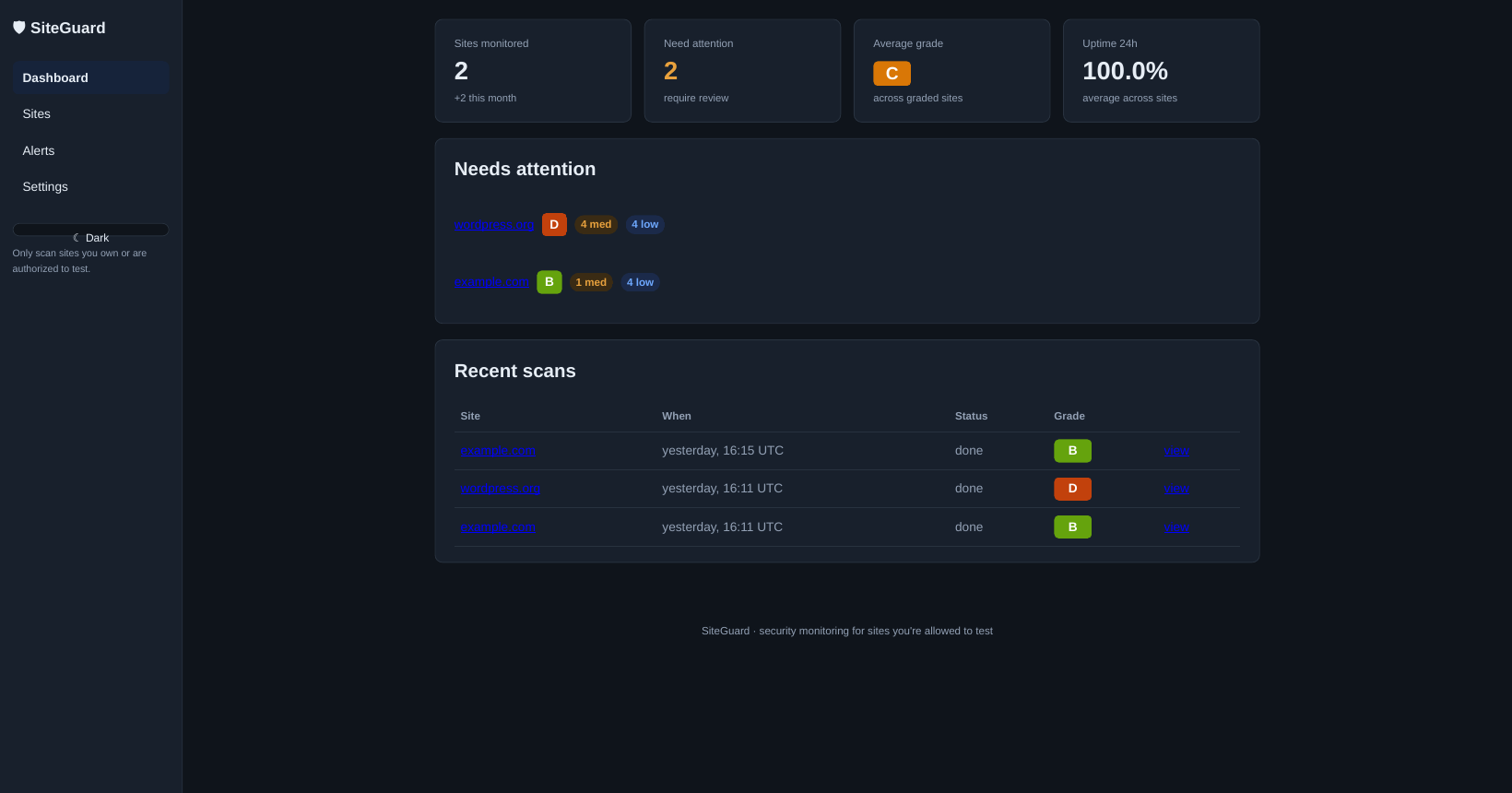
Small businesses run WordPress sites, contact forms, and payment pages — and almost none of them have anyone watching for security problems. Enterprise scanners are overkill and overpriced for a local shop; manual re-checks don’t scale for a one-person freelancer.
SiteGuard fills that gap: add a client’s domain, get a plain-language security report, and have it re-scan automatically. The business isn’t the code (it’s MIT-licensed and public) — it’s the hosted monitoring, the alerts, and the expert review.
Important: only scan sites you own or have written permission to test.
🧠 What Gets Checked#
17 security checks per scan:
| # | Check | What it does |
|---|---|---|
| 1 | SSL certificate | Validity, days to expiry, issuer |
| 2 | Security headers | HSTS, CSP, X-Frame-Options, X-Content-Type-Options, Referrer-Policy |
| 3 | Exposed admin panels | Probes /wp-admin, /admin, /login, /phpmyadmin, /.git/HEAD, /.env, … |
| 4 | WordPress | Detects WP, reads version, compares against wordpress.org latest |
| 5 | Directory listing | Looks for Index of / on common paths |
| 6 | Email DNS | SPF, DMARC, DKIM strength — permissive +all/?all, p=none, missing rua |
| 7 | Server banners | Flags version numbers in Server / X-Powered-By headers |
| 8 | Change detection | Text + DOM-structure fingerprints with an adaptive per-site baseline |
| 9 | Cookie flags | Every cookie checked for missing HttpOnly / Secure / SameSite |
| 10 | CORS | Tests whether the site reflects an untrusted Origin with credentials |
| 11 | HTTP methods | Flags risky methods advertised via OPTIONS |
| 12 | security.txt | Checks for /.well-known/security.txt (informational) |
| 13 | Mixed content | Parses real subresource URLs on HTTPS pages |
| 14 | Sensitive files | Backup/config/debug paths with soft-404 filtering |
| 15 | JS libraries | Outdated jQuery/Bootstrap/AngularJS/Lodash/Moment via URL versions and SHA-256 fingerprints |
| 16 | Subdomain takeover | Certificate-transparency subdomains pointing at dead services |
| 17 | Zone transfer | Attempts DNS AXFR — HIGH only if it actually succeeds |
⏱️ Uptime monitoring#
Separate from the weekly full scan: every 30 minutes each active site gets a lightweight reachability probe. The dashboard shows the latest status and the last-24h uptime %. An alert fires only after 2 consecutive failures, so one flapping probe doesn’t spam anyone.
📊 Grades & Plain-Language Reports#
Every scan produces an A–F grade: start at 100, −25 per high, −10 per medium, −3 per low finding. Each finding comes with a plain-language “What this means” and “How to fix it” — written for shop owners, not security engineers.
Scan history keeps every report, and diffs highlight what changed between scans.
🛡️ Honesty rule#
If a check cannot run (network blocked, DNS down, site unreachable), it is recorded as “Check could not run” — never as clean. No results are invented. A monitoring tool that reports green when it’s blind is worse than useless.
⚙️ Under the Hood#
- Stack: Flask + SQLite + APScheduler — vanilla CSS, no frontend frameworks
- Scheduler: weekly full re-scans plus 30-minute uptime probes, all automatic
- Alerts: SMTP email on new high-severity findings (graceful when unconfigured); WhatsApp integration stubbed
- Change detection: adaptive per-site baseline — alerts only when a change exceeds the site’s own normal variance (15% floor)
- Config: everything overridable via
SITEGUARD_*environment variables for hosted deploys
🛠️ Quick Start#
git clone https://github.com/ibfavas/siteguard.git
cd siteguard
python3 -m venv venv
./venv/bin/pip install -r requirements.txt
./venv/bin/python app.py
Then open http://127.0.0.1:5000.
✅ Takeaway#
SiteGuard turned my VAPT checklist into a product: the same checks I’d run manually for a client, running on a schedule, explained in plain language. It proves a point I keep coming back to — the most valuable security tooling isn’t the cleverest, it’s the one that keeps watching when nobody else is. 🛡️